
Which realm combinations are compatible?
The safe choice is the exact environment and realm where your intended character already appears. Similar realm names or a shared Battle.net account do not create a shared balance between versions. Blizzard was still listing Season of Discovery, Burning Crusade Classic, and WoW Classic Era separately in its August 2026 update notes.[2]
| Gold starts in | Gold is needed in | Shared economy? | Cross-version trade, mail, or auction house | Current transfer dependency | Choose instead |
|---|---|---|---|---|---|
| Classic Era | Classic Era | Only under the destination realm’s own interaction rules | No version boundary | No cross-version transfer needed | Select the character’s exact Era realm |
| Classic Era | Season of Discovery | No[1] [2] | Not a cross-version route[1] | Paid Character Transfer cannot bridge the versions[1] | Select the character’s Season of Discovery realm |
| Classic Era | TBC Anniversary | No[1] [2] | Not a cross-version route[1] | Classic Era and Classic Progression transfers cannot cross versions[1] | Select the character’s TBC Anniversary realm |
| Season of Discovery | Classic Era | No[1] [2] | Not a cross-version route[1] | Paid transfer service is unavailable for Season of Discovery and cannot bridge versions[1] | Select the existing Era character’s realm |
| Season of Discovery | Season of Discovery | Only under the destination realm’s own interaction rules | No version boundary | No cross-version transfer needed | Select the exact Seasonal realm shown for the character |
| Season of Discovery | TBC Anniversary | No[1] [2] | Not a cross-version route[1] | No cross-version transfer is documented[1] | Select the existing TBC Anniversary character’s realm |
| TBC Anniversary | Classic Era | No[1] [3] | Not a cross-version route[1] | The special Anniversary-to-Era window ended January 12, 2026[3] | Use the existing Era character or remain in TBC Anniversary |
| TBC Anniversary | Season of Discovery | No[1] [2] | Not a cross-version route[1] | No cross-version transfer is documented[1] | Select the existing Seasonal character’s realm |
| TBC Anniversary | TBC Anniversary | Only under the destination realm’s own interaction rules | No version boundary | Check any service offered on the character screen before relying on it | Select the exact TBC Anniversary realm shown for the character |
A transfer plan is a material risk, not a substitute for choosing the correct destination. Blizzard says characters cannot transfer between WoW Classic Era and WoW Classic Progression, cannot transfer to another region, and cannot use the paid transfer service on Classic Era realms including Season of Discovery.[1] The limited route that let Anniversary characters move to Era closed on January 12, 2026; characters left behind continued into Burning Crusade Classic Anniversary.[3]
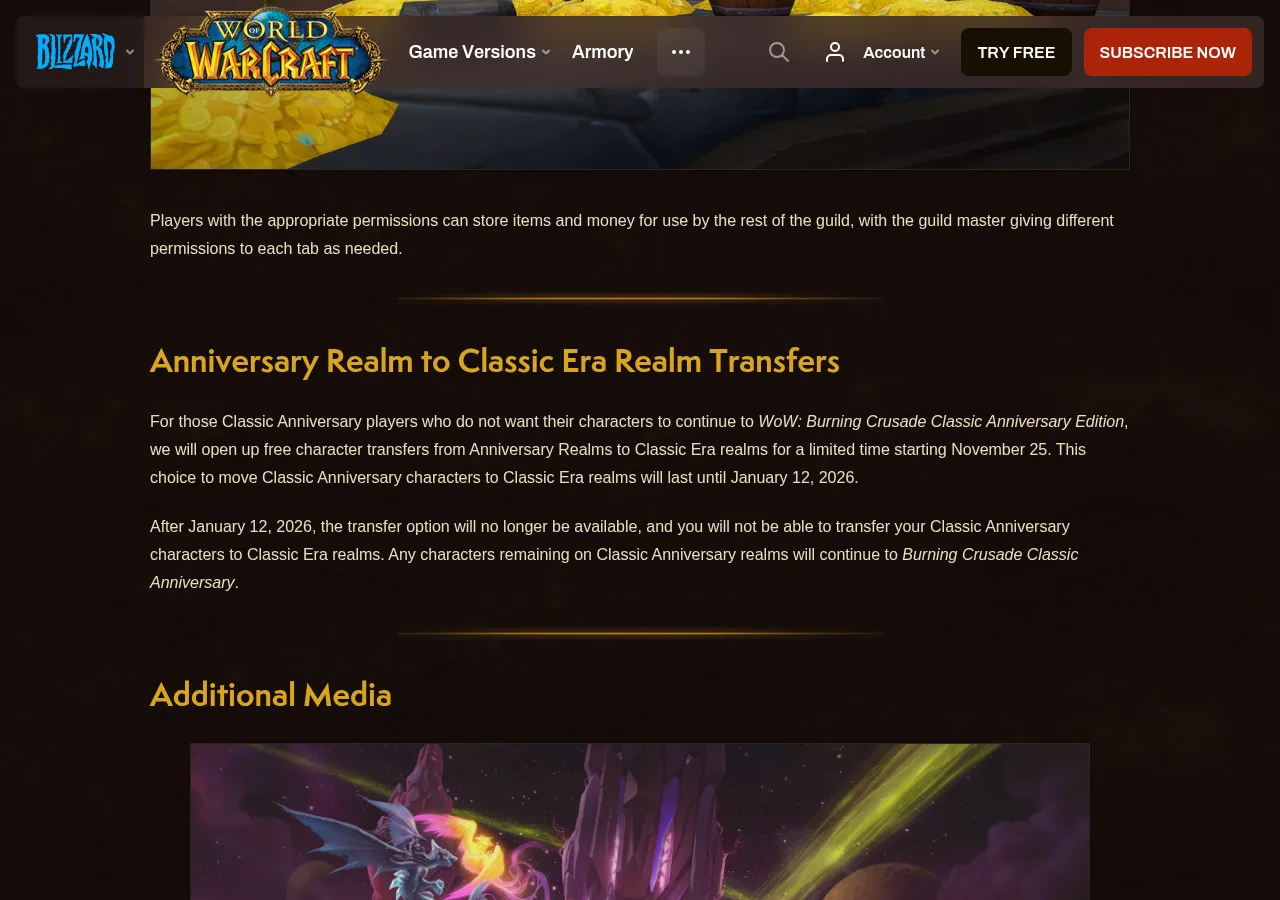
Blizzard’s Anniversary-to-Classic-Era transfer notice identifies January 12, 2026 as the end of the transfer window. Source: Blizzard.[7]
Confirm the destination on your own screens
- Open Battle.net and select World of Warcraft. Read the complete game-version label above the Play button; do not rely on the word “Classic” alone.
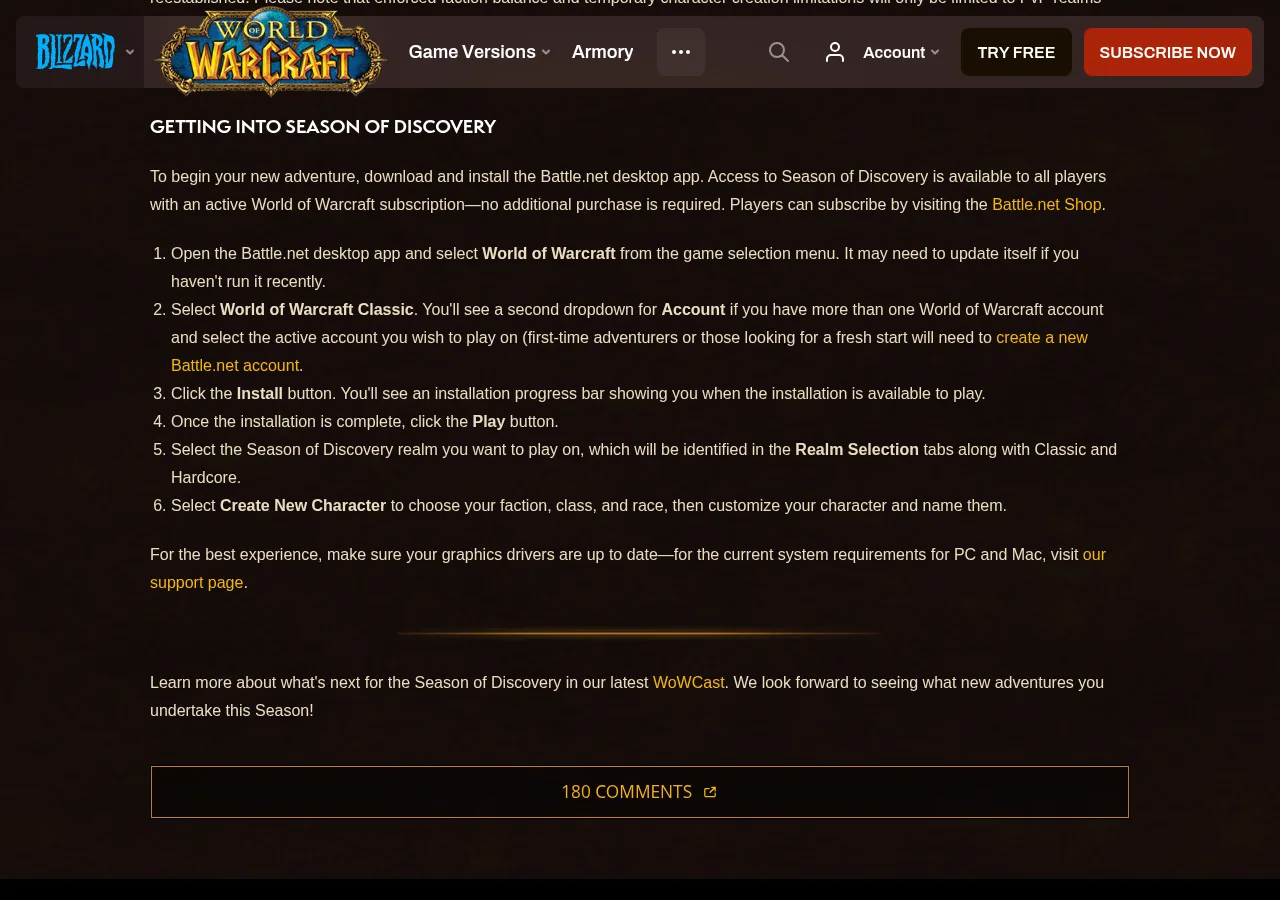
- Launch that version and open its realm list. Season of Discovery was introduced with its own realm-selection tab alongside Classic and Hardcore, although wording and layout can change with client updates.[4]
- Choose the account and region that contain the intended character. A character cannot be transferred into another WoW region.[1]
- Write down the character name, faction, and complete realm name exactly as displayed.
- Return to the character-selection screen and look for a transfer or migration control. If the required destination is absent, treat the route as unavailable rather than assuming support can move the character.
- Match every destination field in the listing to those notes before choosing a quantity or delivery method.
Blizzard’s Season of Discovery launch guide shows the game-version, account and Realm Selection steps. Source: Blizzard.[6]
If Battle.net and the listing use different wording, pause. The character screen is the useful reference because it shows where the receiving character actually exists; the listing must describe that same version, region, and realm.
Check gold options for your verified Classic realmTrading gold is not the same as moving a character
Trading, mailing, using an auction house, and transferring a character answer different questions. An interaction available inside one realm does not create access from another game version. Likewise, owning characters in several versions on one Battle.net account does not merge their inventories or progress; Blizzard states that progress in different WoW versions is unique to each version.[5]
A character transfer can carry that character’s eligible possessions only when Blizzard offers a valid source-to-destination route. It does not turn Era gold into Seasonal or TBC Anniversary gold. Current transfer documentation also lists blockers such as active auctions, mailbox contents, region boundaries, service cooldowns, realm eligibility, and applicable gold limits.[1] Check the live service screen before arranging either a transfer or a delivery.
Which destination fits your character?
- Existing Classic Era character: choose the exact Era realm displayed for that character. Do not choose Seasonal or TBC Anniversary gold because the names or geography look similar.
- Season of Discovery character: choose the precise Seasonal realm on the character screen. Season of Discovery remained an actively maintained, separately named mode in July and August 2026.[2]
- TBC Anniversary character: choose the exact Burning Crusade Classic Anniversary realm. The Anniversary PvE and PvP realms progressed into this version after the Era opt-out window closed.[3]
- Returning player who is unsure: open each game version until you locate the intended character, then copy its full destination details. Wait if you cannot find it.
- Player planning a transfer: complete an eligible transfer first and confirm that the character is playable on the destination realm. Do not purchase against a planned destination that the transfer interface does not offer.
Check the delivery details before paying
- The listing names the same game version shown in Battle.net.
- The region matches the account containing the character.
- The complete realm name matches, including any similarly named or ruleset-specific realm.
- The receiving character exists on that realm and its name is spelled correctly.
- The faction matches when the stated delivery method requires it.
- The delivery method is usable on that character and realm.
- Any planned transfer has already completed and the character is playable at the destination.
- The quantity does not conflict with a displayed service or seller instruction.
- The seller does not request your Battle.net password, authenticator approval, recovery code, or remote access.
What should you do when compatibility is uncertain?
Use the character’s current verified realm, earn gold through normal play there, or wait until the destination appears on an official Blizzard screen. If you hoped to move an old Anniversary character into Era, that special choice is no longer available after January 12, 2026.[3] If a future migration opens, read its source, destination, deadline, region, and restrictions before treating it as part of a purchase plan.
G2G can be one place to compare listings after all destination fields match. The drawback is that a listing for the wrong version or realm remains unusable for your intended character even when its title looks close. Choose only for the character’s confirmed current destination.
Compare current gold listings for your confirmed realmIf the version, region, realm, character, or delivery method still does not match, wait. A compatible destination you can verify now is the better choice than relying on an unavailable transfer later.
Sources
- Character Transfer Information and Restrictions — Blizzard Support
- World of Warcraft Content Update Notes
- WoW: Burning Crusade Classic Anniversary Edition Now Live!
- World of Warcraft Classic Season of Discovery Is Now Live!
- No Mount, Pet, Toy, or Heirloom Collection in WoW Classic Era — Blizzard Support
- World of Warcraft Classic Season of Discovery is Now Live
- WoW Burning Crusade Classic Anniversary Edition Now Live