Verify champions, skins, chromas, and loot separately on fresh, uncropped screens from the same League of Legends account. A collection total cannot show which named items are permanently unlocked, and a successful login or screenshot cannot establish legitimate transfer or lasting control.
The decisive check is simple: the exact advertised name, state, account identity, and region must agree across the listing and the relevant client screen. Treat an item as confirmed only when the screen shows those details clearly; otherwise label it seller-stated, conflicting, or unknown.
Account rules can outweigh the collection
Riot’s Terms of Service, checked August 31, 2026, prohibit sharing, selling, or transferring a Riot account or its login credentials. The terms also describe access to virtual content as a limited, non-transferable, revocable license and allow account suspension or termination for breaches.1 These terms apply through the Riot entity responsible for the user’s region.1
What each screen can prove
| Advertised category | Evidence to request | Fields that must match | What the evidence does not prove |
|---|---|---|---|
| Champion | Fresh champion Collection detail | Champion name; displayed ownership or access state; account identity; capture date | That rotation, temporary access, or a loot item equals permanent ownership |
| Skin | Fresh skin detail in the Collection | Champion; exact skin name; displayed ownership state; edition or variant wording, if shown | Current rarity, resale value, or future availability |
| Chroma | Fresh chroma detail plus its related skin detail | Exact chroma; parent skin; displayed ownership or usability state | That owning only the base skin, chroma, or loot item makes the full combination usable |
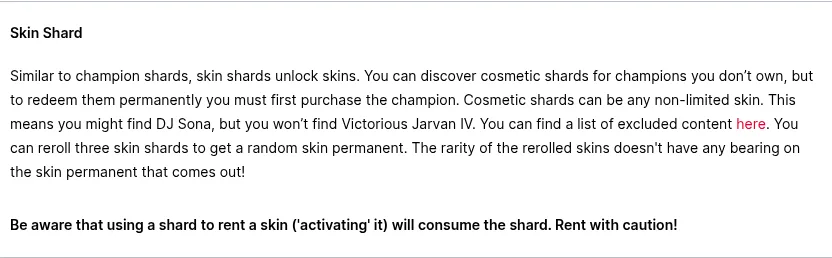
| Loot | Fresh Loot inventory detail | Exact item name; item type; quantity; displayed action or requirement | That unopened loot or a shard is already part of the permanently unlocked Collection |
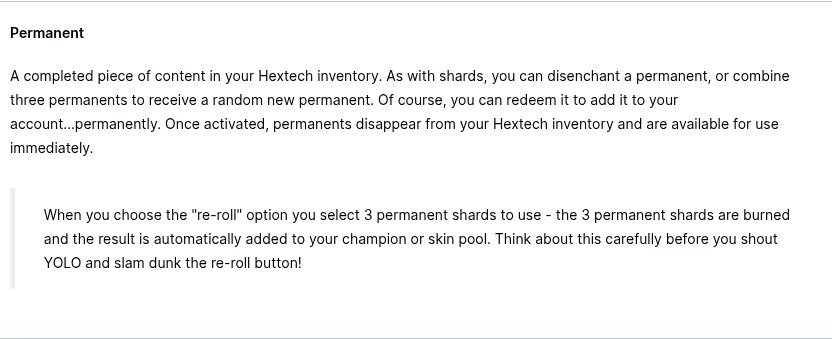
Riot’s current Hextech Crafting support material distinguishes shards, permanent items, and essence as different loot outcomes.2 That makes the item type and available action more useful than a screenshot showing only the Loot tab’s total.
Riot presents chromas as variations connected to existing champion or skin content and lists them separately within the store’s skin area.3 Verify the named chroma and its parent skin as two related claims instead of counting either one as proof of the other.
Match champions by name and state
- Ask for a fresh view of the champion Collection with the account identity and region established in the same evidence set.
- Reconcile the advertisement name by name. Do not accept a total such as “all champions” without a visible list or a complete sequence of screens.
- Open each decisive champion entry and record the displayed state. If the screen merely shows that a champion is selectable or present somewhere in the client, do not silently convert that into permanent ownership.
- Check the Loot inventory separately for similarly named shards or permanent items. Riot’s crafting documentation treats those loot forms as distinct outcomes.2
- Mark missing names, unclear filters, cropped ownership labels, and stale captures as unknown rather than confirmed.
Check skins without relying on the total
For every skin that materially affects the decision, record the champion, exact skin name, displayed ownership state, and any edition or variant wording visible in the client. A gallery thumbnail or large skin count is insufficient when the listing promises particular names.
- Confirmed: the exact skin appears with a clear owned state on a fresh account-specific screen.
- Seller-stated: the listing names the skin, but the supplied screen does not establish its state.
- Conflicting: the listing and client show different names, variants, counts, or account identities.
- Unknown: the relevant entry, filter, ownership label, or capture date is missing.
Verify every chroma with its parent skin
A chroma is not interchangeable with its parent skin. Riot describes chromas as personalization for champion or skin content, so the exact relationship matters.3 Request evidence showing the chroma’s name and the related skin, then confirm the client does not display an unmet requirement.
If the listing shows only the parent skin, the chroma remains unconfirmed. If it shows only a chroma-shaped loot item, both permanent ownership and present usability remain unresolved until the Collection and Loot evidence clarify the state.
Inspect Loot item by item
For each advertised loot item, record its exact name, type, quantity, and the action or requirement displayed when it is selected. Riot’s Hextech Crafting FAQ says loot can include shards, permanent items, and essence, which are not equivalent states.2
| Loot evidence | Record as | Reason |
|---|---|---|
| Named shard with a crafting or unlock requirement | Loot item confirmed; Collection ownership unconfirmed | The screen establishes the shard, not completion of the displayed action |
| Named permanent item still in Loot | Permanent loot item confirmed; unlocked Collection state still requires checking | The item’s present location and available action remain relevant |
| Unopened container | Container confirmed; contents unknown | The container does not identify its eventual contents |
| Quantity shown without an item name | Unknown item claim | A count cannot be reconciled with the advertised name |
| Item shown in Collection with an owned state | Collection ownership confirmed for that named item | The evidence addresses the ownership claim directly |
Reconcile the advertisement before comparing options
| Status | Use it when | Purchase consequence |
|---|---|---|
| Confirmed | Fresh evidence matches the exact name, state, account identity, and region | The collection claim may remain in consideration, subject to account-control and policy drawbacks |
| Seller-stated | The advertisement makes the claim but account-specific evidence is absent | Do not include it in the verified collection |
| Conflicting | Listing and screens disagree on a decisive field | Pause or choose a clearer option |
| Unknown | A crop, filter, stale capture, ambiguous term, or missing screen prevents a decision | Treat the claimed value as zero until clarified |
G2G can be one place to compare currently listed account options after this reconciliation. Compare only offers whose named contents and account conditions can be checked; do not infer legitimacy or continuing control from the marketplace listing itself.
Compare current League of Legends account optionsBuying the account or building your own collection?
| Choice | When it fits | Main drawback or limitation |
|---|---|---|
| Advertised account | Every decisive item is confirmed and the reader knowingly accepts the account-rule and control risks | Riot prohibits account sale and transfer, and the collection evidence cannot eliminate enforcement or recovery risk.1 |
| A clearer account listing | The first offer has missing, cropped, stale, or conflicting evidence | A clearer inventory still carries the same Riot account-transfer restriction.1 |
| Content obtained on an account you control | The intended content has a currently supported route visible in that account’s client | The desired item may not have a current supported route; check the live client rather than assuming availability |
| No purchase | A decisive claim, account identity, region, or control condition remains unresolved | The collection goal is postponed, but the unresolved risk is avoided |
If region matters to where or with whom you play, review what a League account region transfer changes before treating transfer as a repair for a mismatched offer.
what happens to rank, MMR, and friends during a League region transferThe same discipline applies across Riot games: region and account conditions should be settled independently from inventory value. The related VALORANT account check shows why a working login is narrower evidence than control of the relevant account settings.
check region, shard, and phone verification on a VALORANT accountLeave the offer when these details remain unresolved
- The seller refuses fresh, category-specific screens.
- Different screens show mismatched account identities or regions.
- A total count is substituted for the promised item names.
- A selectable or rotating champion is presented without evidence of the advertised ownership state.
- A parent skin is substituted for the named chroma, or the chroma’s required skin is not established.
- A shard, unopened container, or other Loot item is presented as permanently unlocked Collection content.
- The listing and client screens conflict on a decisive name, state, quantity, or variant.
- Continuing access, recovery control, or the account’s policy exposure remains unacceptable.
Complete the pre-payment review
- Save the exact offer and its advertised champion, skin, chroma, and loot names.
- Confirm that every decisive name has a fresh screen from the same account and region.
- Assign one status—confirmed, seller-stated, conflicting, or unknown—to every claim.
- Exclude seller-stated and unknown items when judging whether the offer meets the intended collection.
- Check that no shard, container, temporary access state, or total count has been substituted for permanent ownership.
- Make the final choice only after accepting the account-sale prohibition and the possibility that screenshots will not preserve access or control.1
Choose an offer only if its verified inventory—not its headline total—meets the collection goal and the account-control drawbacks are acceptable. Otherwise, use an account you already control or leave the purchase unresolved.