
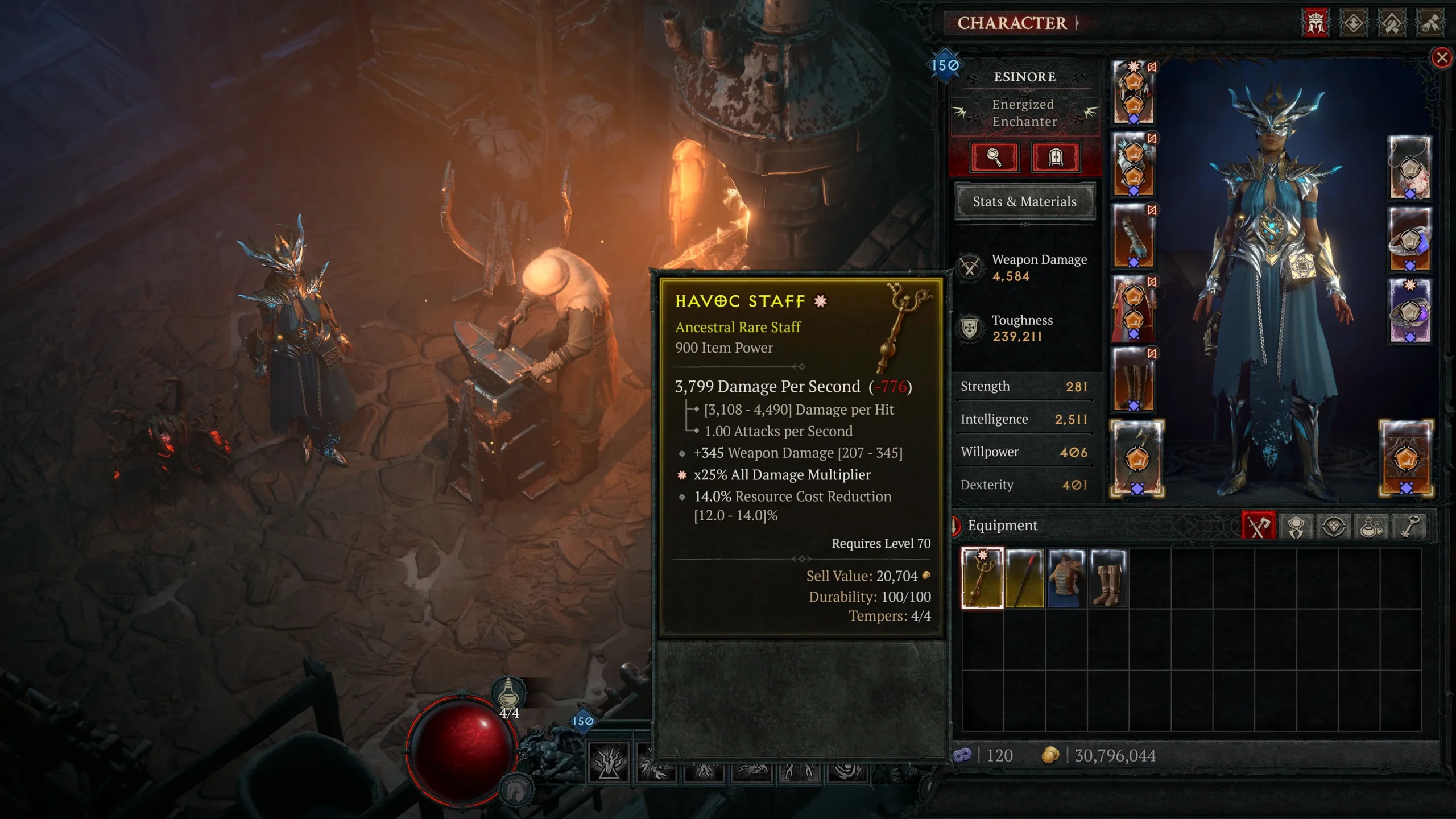
Blizzard’s 2026 example puts the Ancestral Rare staff’s starred damage affix, item power and required level in one tooltip. Compare each field separately.[2]
Read the item before reading the star count
Start with the base and equipment slot your character can use. Then read the required level, the named affixes, their actual values, and any Unique power. A three-star item with three unwanted stats does not meet a request for a specific cooldown, skill-rank or damage affix. Write down the stat you need and its minimum acceptable value; compare that line on each candidate.
Older guides describe Greater Affixes as exclusive to Legendary and Unique equipment. The 2026 item overhaul allows Common, Magic and Rare drops to be Ancestral and contain Greater Affixes too. For an upgrade base, identify the actual rarity and affixes in the tooltip rather than treating a yellow item as automatically irrelevant.[2]
| What the item shows | Trading decision | What to compare |
|---|---|---|
| Unaltered Legendary or Unique | Tradeable when the specific item is not account-bound.[1] | Base, required level, every useful affix and Unique power. |
| Greater Affix star(s) | A Greater Affix is a stat property, not proof of trade eligibility.[1] [2] | Which named stat has the star, not just total star count. |
| Tempered, Enchanted, Imprinted or Masterworked | The crafting operation binds the item to the account.[1] | Buy an unaltered drop and do your own crafting after delivery. |
| Account Bound | Keep it on that account; it is not a player-trade base.[1] | A different unbound item is needed for a transfer. |
Crafting comes after the handover
An item that can be equipped and an item that can be traded are different questions. Blizzard explicitly lists Imprinting, Enchanting, Tempering and Masterworking as binding operations. Have the seller leave a suitable drop unaltered; receive it first, then change its Aspect or affixes for your build.[1]
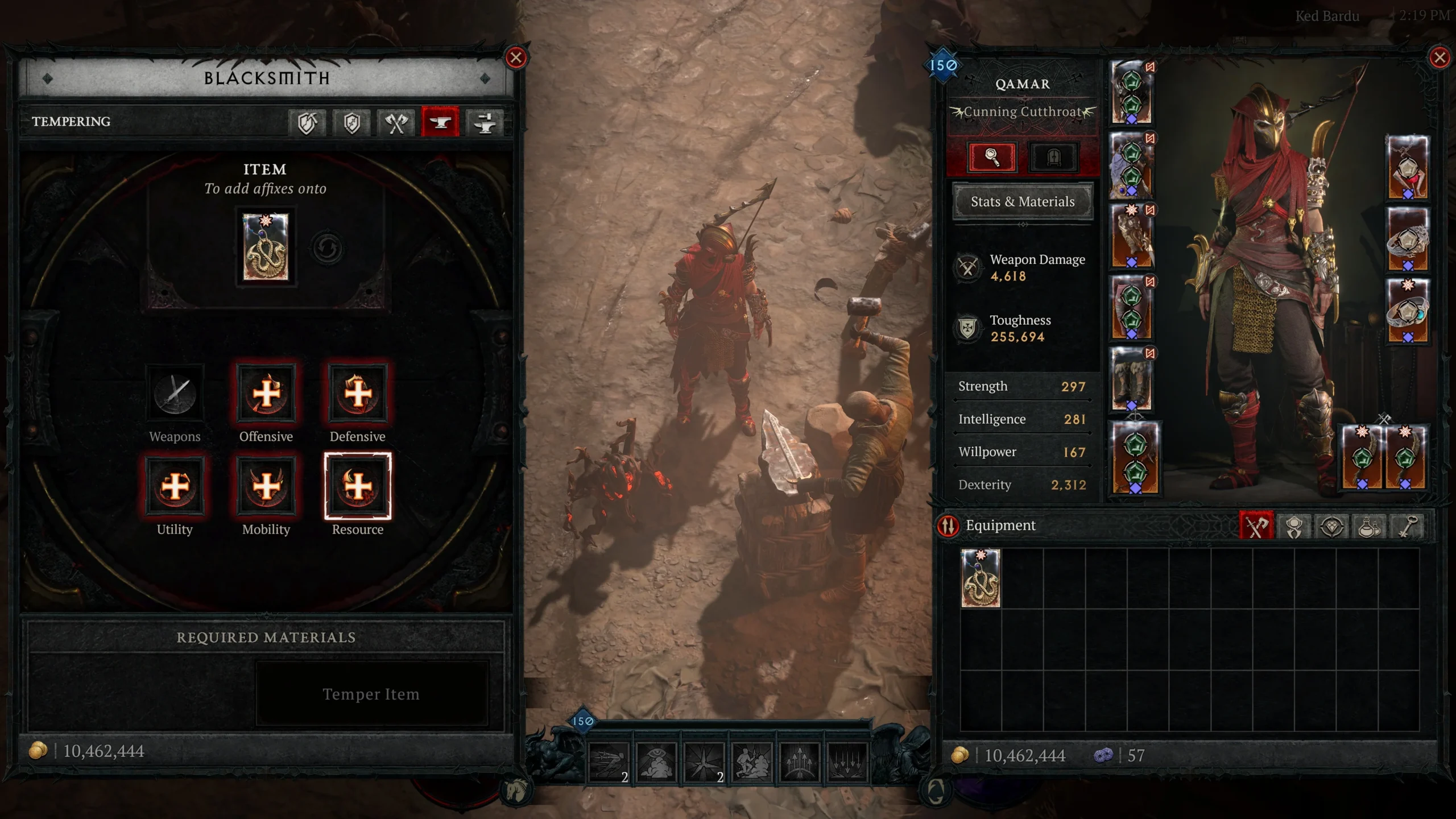
Blizzard’s 2026 Blacksmith screenshot shows the Tempering item slot and recipe categories. Tempering adds an affix to your own item after the transfer.[1] [2]
Unique and Mythic items can now be tempered under the 2026 overhaul.[2] That expands what you can craft on your account. It does not make a bound item transferable. Read the binding label separately from whether the Blacksmith accepts the item.
Why two copies of a Unique are not the same purchase
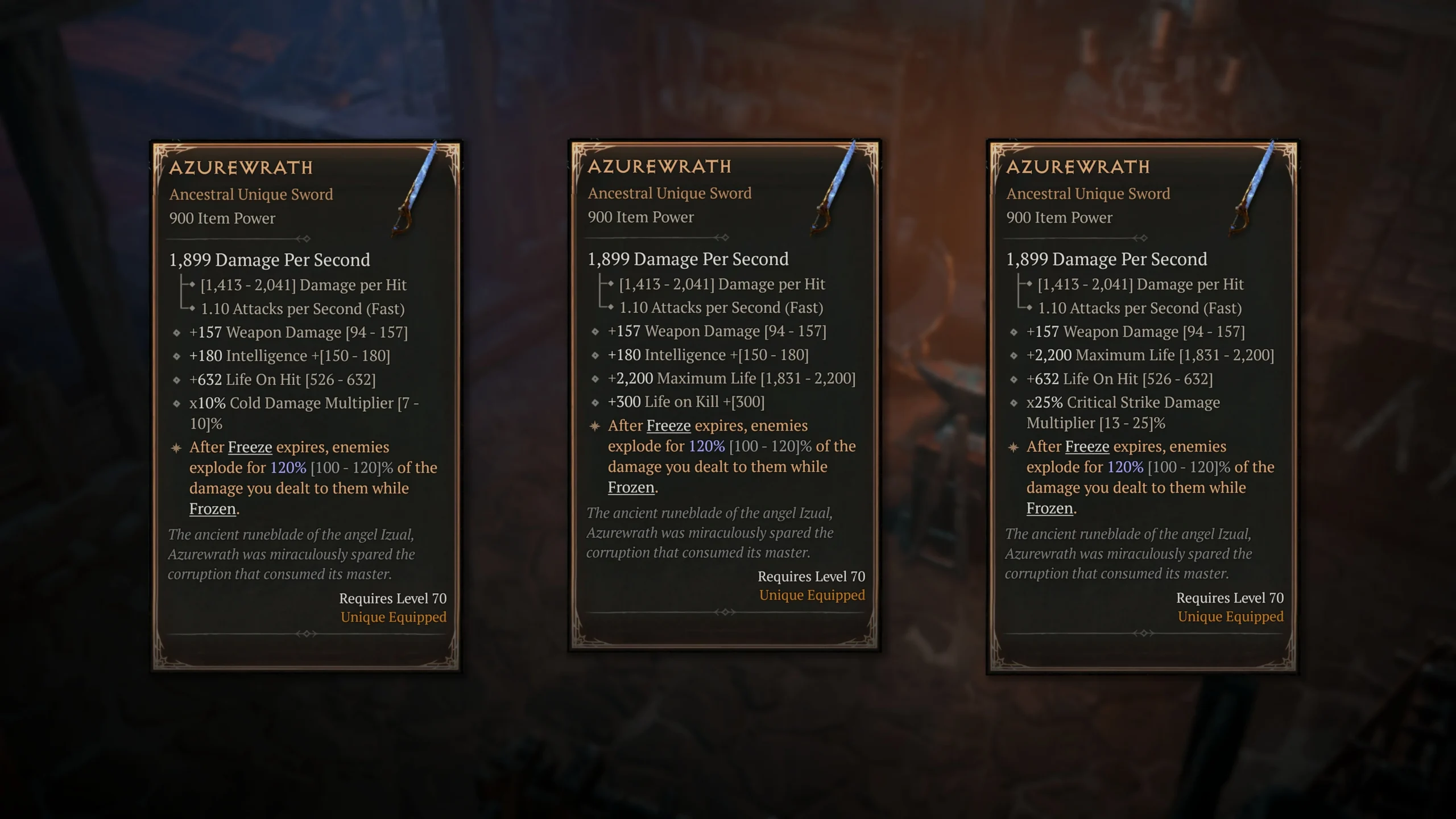
Blizzard’s Azurewrath comparison shows three copies with different base-affix combinations. The screenshot comes from the April 2026 itemization announcement.[2] Compare the actual copy’s tooltip: a name match alone leaves its affixes and power roll unresolved.
Keep a Greater Affix you need and leave a replaceable ordinary affix for your own crafting plan. The current Affix Value Reroll recipe protects Greater Affixes, Enchanted affixes, Tempers and Transfigurations, while rerolling other base-affix values; it cannot be used on an Unmodifiable item.[3] This is different from changing an affix into another stat with Enchanting. Decide which operation your item needs before spending crafting materials.
An item request that identifies the exact copy
- Realm and mode: specify your current Seasonal or Eternal character and Softcore or Hardcore.
- Base or Unique name: include the equipment slot and the required level shown on the item.
- Must-have stats: list each needed affix, minimum value and which must be Greater Affixes.
- State at delivery: request an unaltered item with its complete tooltip visible; exclude Account Bound items.[1]
- Unique power: include the minimum roll separately from its ordinary affixes.
For a concrete request based on Blizzard’s pictured item, write: “Unaltered Ancestral Rare Havoc Staff, 900 Item Power, Greater Affix x25% All Damage Multiplier, at least 14.0% Resource Cost Reduction, Requires Level 70.”[2] That identifies the pictured base and two useful lines. A level-65 character cannot equip that example yet; a level-70 character can compare those exact lines against another offered staff. This example describes the displayed copy, rather than a standard roll shared by every Havoc Staff.
Finish the trade, then upgrade the item
- Open the player trade and inspect the offered item’s full tooltip. Match the base, required level, Greater Affix names and any Unique power to your request.
- Check the currency amount and item again before both players confirm the trade. For stackable deliveries, use the trade screen: Blizzard disabled trading stackables by dropping them.[4]
- After receiving the item, apply your own Aspect or crafting changes. The Imprinting, Enchanting, Tempering and Masterworking steps make it account-bound.[1]
Blizzard’s EULA prohibits gathering currency, items or resources for sale outside its games or platform without authorization.[5] In-game trade eligibility describes the transfer mechanics; marketplace listings operate separately from those mechanics.
Once you have an exact base and affix request, you can compare Diablo IV item listings against it. Look for the unaltered copy that supplies the useful stat you are missing, then keep the remaining crafting for after delivery.
Browse Diablo IV item options