
The Tarethiel Market uses runes and gold to buy or sell items online.[4] Keep those units separate: a balance in gold and a quantity of runes describe different resources.
Match the four multiplayer destinations
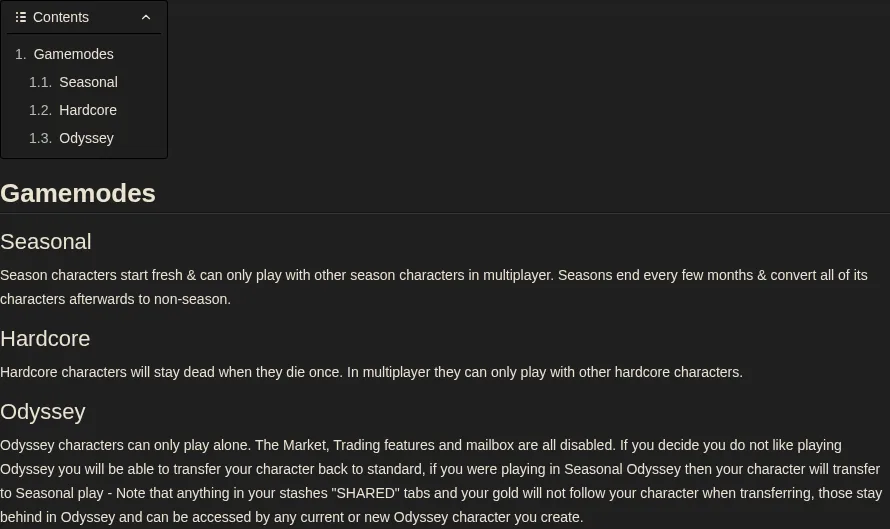
The official Hero Siege Wiki separates Seasonal, Hardcore and Odyssey settings.[8]
| Recipient | Seasonal setting | Hardcore setting | Match for multiplayer |
|---|---|---|---|
| Seasonal Softcore | Current Seasonal character | Hardcore off | Another current-Seasonal Softcore character.[8] |
| Seasonal Hardcore | Current Seasonal character | Hardcore on | Another current-Seasonal Hardcore character; death is permanent.[8] |
| Non-Seasonal Softcore | Non-Seasonal character | Hardcore off | Another Non-Seasonal Softcore character.[8] |
| Non-Seasonal Hardcore | Non-Seasonal character | Hardcore on | Another Non-Seasonal Hardcore character; death is permanent.[8] |
Hardcore characters stay dead after one death and can play multiplayer only with other Hardcore characters. Seasonal characters play with other Seasonal characters and convert to Non-Seasonal when the season ends.[8]
Odyssey changes the currency answer
An Odyssey character uses resources earned in its own solo mode. Market, Trading and mailbox are disabled, so another player cannot deliver currency through those features.[8]
Leaving Odyssey moves the character to standard play; a Seasonal Odyssey character moves to Seasonal play. Gold and items in the stash’s SHARED tabs stay in Odyssey and remain accessible to existing or new Odyssey characters. Before transferring, record the gold balance and shared-stash contents separately from the items your character carries.[8]
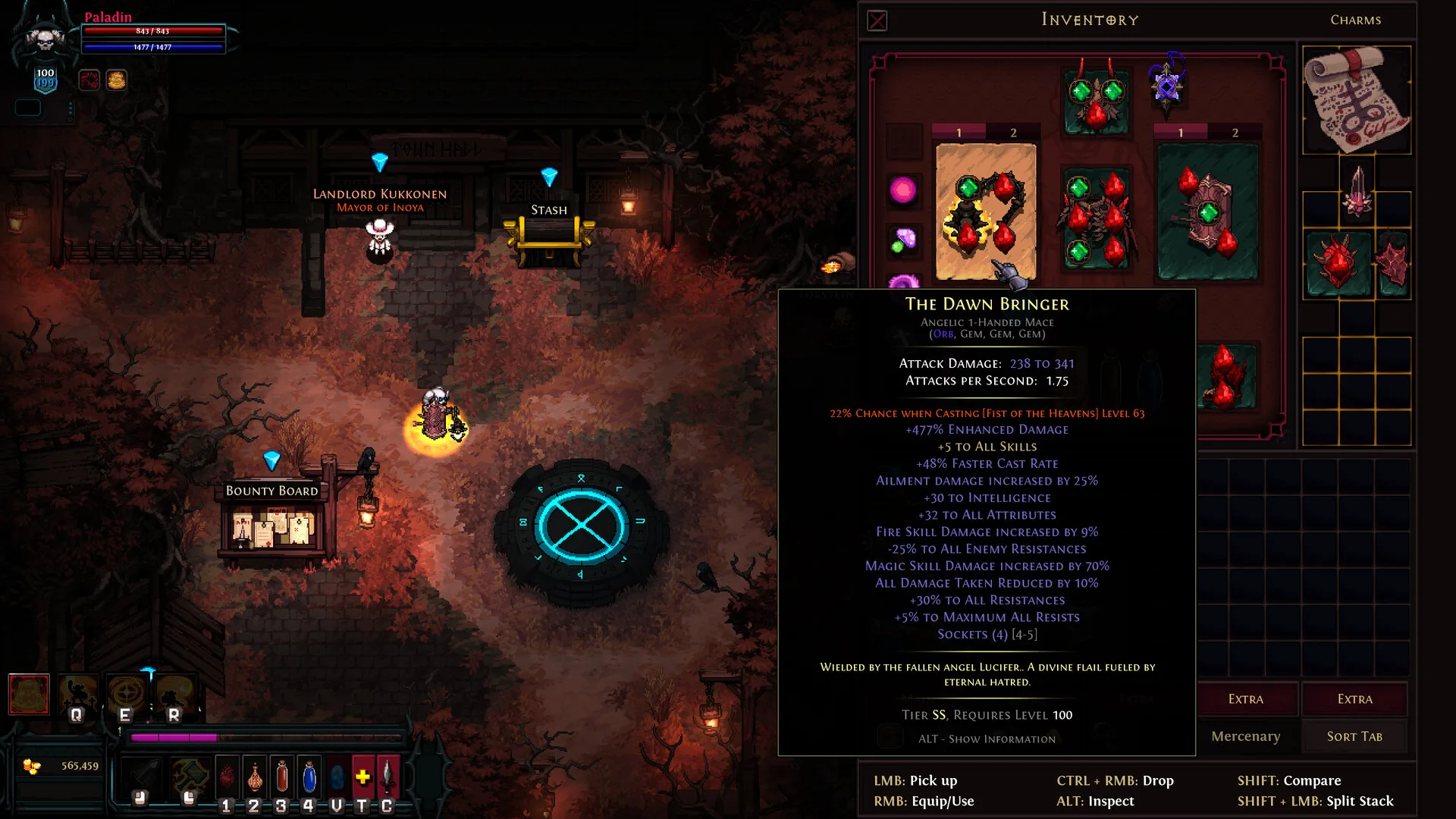
The publisher’s town screenshot shows the inventory, gold balance and Stash. Read the balance and the storage location separately when reconciling resources.[7]
Read currency and total quantity together
Write the recipient’s mode, currency name, unit and total quantity in one line. As a quantity example, two bundles of 20 runes mean 40 runes; a separate gold amount stays in a gold column. Match the recipient’s available resource and current transaction before comparing unit prices.
Compare current Hero Siege currency listing detailsAfter a season ends, reopen the recipient
Season 10 launched on August 21, 2026.[3] When a season ends, Seasonal characters convert to Non-Seasonal.[8] Open the intended recipient after the transition and use its current setting and balance for the comparison.
Use the character’s supported market and trade routes
- Open the intended recipient and record Seasonal/Non-Seasonal, Softcore/Hardcore and Odyssey status separately.[8]
- For a non-Odyssey online character, compare the desired item and its rune or gold price in the Tarethiel Market.[4]
- Record the exact currency unit and total quantity, then match the other character’s Seasonal and Hardcore population for multiplayer.[8]
- After the transaction, reconcile the recipient’s balance and acquired item in the same character.
Hero Siege’s EULA prohibits real-money purchases or sales of in-game resources, items and services, and also prohibits PanicNet account sharing.[2] Use your own login and the character’s supported in-game controls.
For a current-Seasonal Softcore character, compare current-Seasonal Softcore resources; for Hardcore, keep both the Seasonal setting and Hardcore population aligned. In Odyssey, earn resources in that solo mode or plan the character transfer with gold and SHARED stash left in Odyssey.[8]
Review Hero Siege currency options after matching modeSources
- Gamemodes — Official Hero Siege Wiki
- Hero Siege End User License Agreement
- Season 10 is live! — Hero Siege Events & Announcements
- Official Hero Siege Wiki
- Final Season 9 Patch — Developer response on matching character modes
- Gamemodes – Official Hero Siege Wiki
- Hero Siege on Steam
- Hero Siege game modes: Seasonal, Hardcore and Odyssey