
![[1]](https://consideredchoice.com/wp-content/uploads/2026/10/seller-5.webp)
![[2]](https://consideredchoice.com/wp-content/uploads/2026/10/payment-1.webp)
![[3]](https://consideredchoice.com/wp-content/uploads/2026/10/delivery-1.webp)
The $1.47 item was a one-month Premium account listing
The product was titled “Sptfy Premium 1 Month Subscription Account (Global)” and marked as an Account. It delivers a separate account to use, rather than an upgrade code for an existing Spotify login.[1]
Changing the plan on your existing account keeps your playlists, saved music and settings.[11] Copying playlists to a separate account does not transfer your listening history or music preferences. Personalized recommendations such as Discover Weekly and Daily Mix start again from the listening history on the new account.[12]
| Purchase detail | What happened in this order |
|---|---|
| Product | One-month Premium account listing[1] |
| Item amount | US$1.47[2] |
| Payment | US$1.47 of existing G2G credit; US$0.00 additional payment[2] |
| Fulfillment | Instant delivery with automatic fulfillment[1] |
| Delivery timeline | Order received at 11:55; account delivered at 11:56, about one minute later[3] |
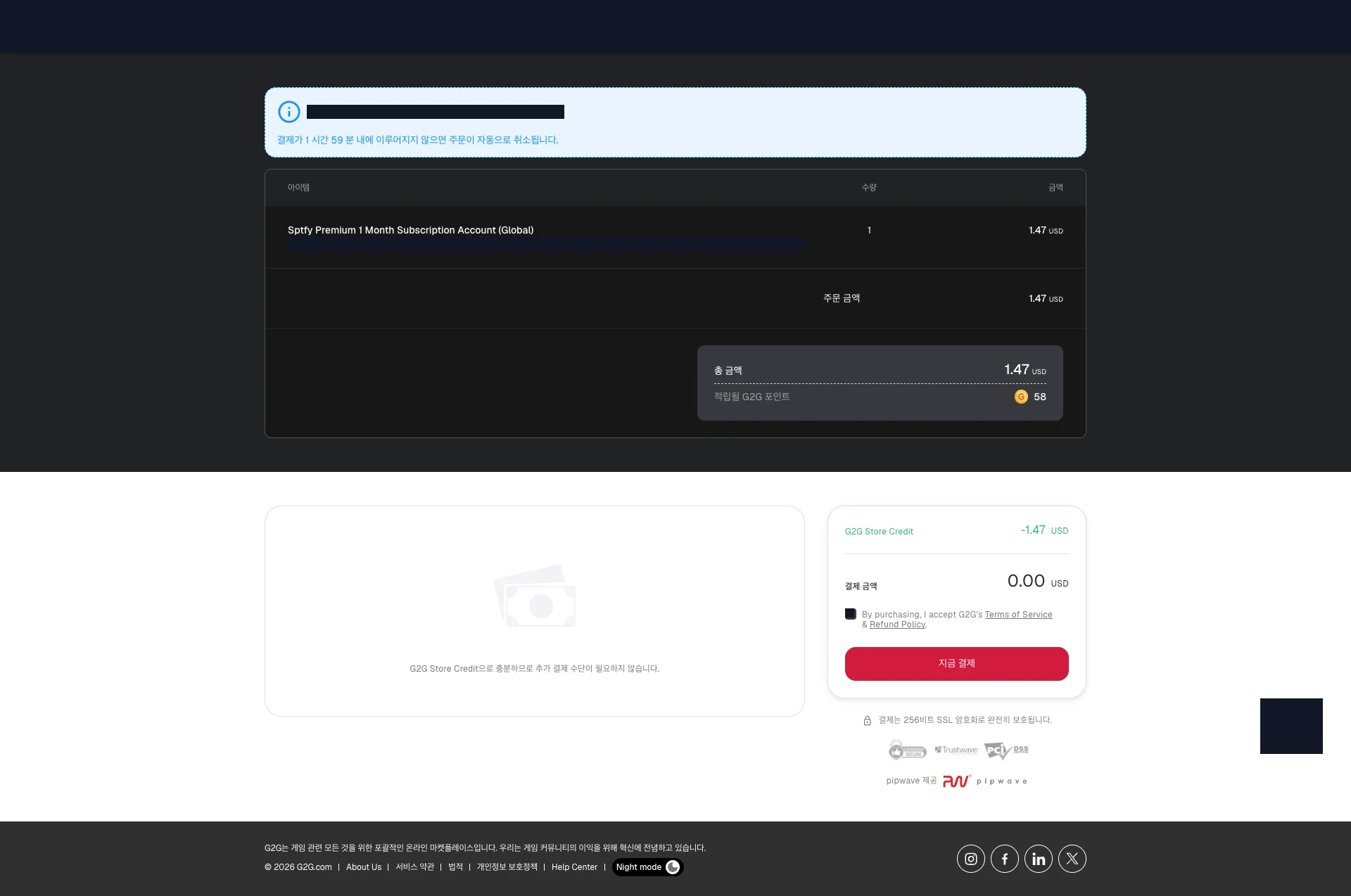
The item cost US$1.47. Applying existing G2G credit covered the entire order and left US$0.00 in additional payment due at checkout.[2]
Order at 11:55, account delivery at 11:56
After checkout, I reached the purchase-success page and opened the order details. The timeline recorded the order at 11:55 AM on October 16 and delivery of one item at 11:56 AM, using the time displayed by G2G. In this order, the account reached the purchased-accounts section about one minute after the order was placed.[3]
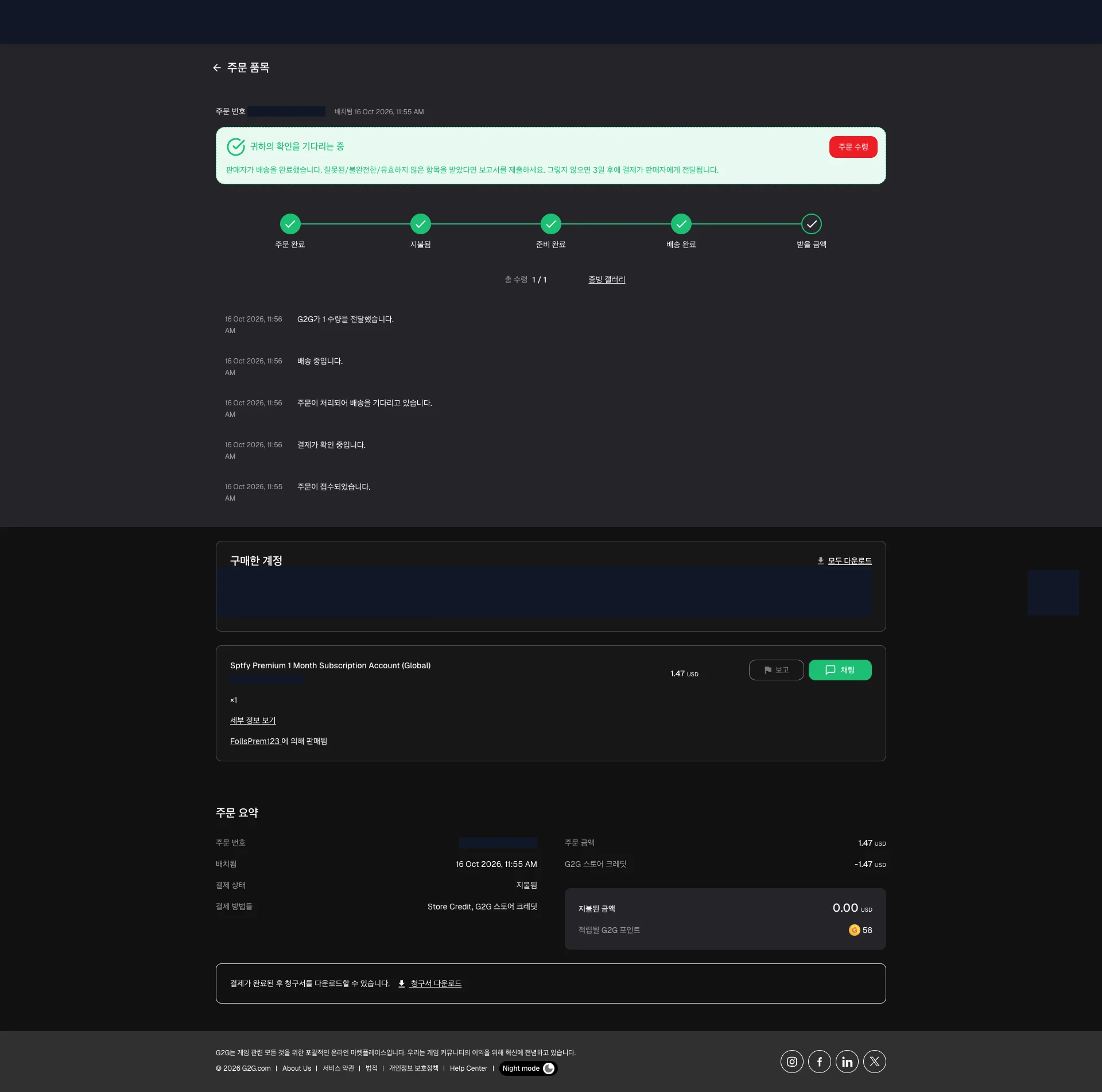
The delivered account is available in the order’s purchased-accounts section. The timeline records completed delivery and quantity 1/1, while the order summary below shows the credit payment.[3]
In the account category, choose the subscription duration and delivery method. I chose a one-month listing with automatic instant delivery, then compared price, product reviews, sales count and seller activity.[1]
View Spotify Premium account optionsWhy I chose instant automatic delivery
I wanted the account delivered without arranging a time to chat with a seller. Instant delivery with automatic fulfillment was my first filter. I then considered the US$1.47 price alongside the product’s reviews and sales count and the seller’s overall activity. For this purchase I selected FollsPrem123.[1]
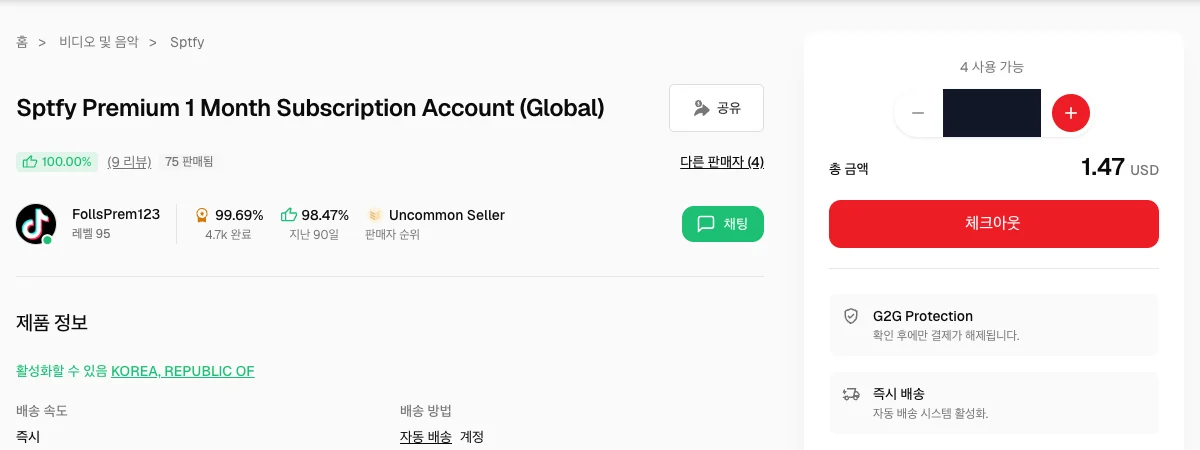
The listing showed a 100.00% product rating, 9 reviews and 75 sold. The seller’s separate figures were 99.69% overall and approximately 4,700 completed orders. I considered the number of reviews and transactions alongside the percentages.[1]
Existing store credit covered the whole order
I checked out with a quantity of one and applied US$1.47 of G2G Store Credit to the US$1.47 order. That left US$0.00 to pay separately, so I completed checkout without entering new card details.[2]
Bring your existing music to the new account
Existing Spotify playlists can be opened from a shared link and copied into a playlist you can edit. Lists from Apple Music or YouTube Music can be moved through the mobile app’s import option.[4] [5] [7] [10]
Keep listening to existing Spotify playlists with a shared link
- On the old account, open the playlist and choose the three-dot menu > Share > Copy link.[4]
- For a private source playlist, use Make public before copying its link.[6]
- Open that link while signed in to the new account.
- Use the playlist’s add/save icon to put it in Your Library.[5]
Copy the playlist when you want to edit its tracks
On the new account, open the shared playlist and choose the three-dot menu > Add to other playlist. Create a new playlist there to copy all its tracks into your own list.[5]

Import playlists from Apple Music or YouTube Music
In Spotify’s mobile app, scroll down in Your Library and choose Import your music from other apps. Spotify’s import workflow connects to TuneMyMusic to bring lists over from another music service.[7] [8]
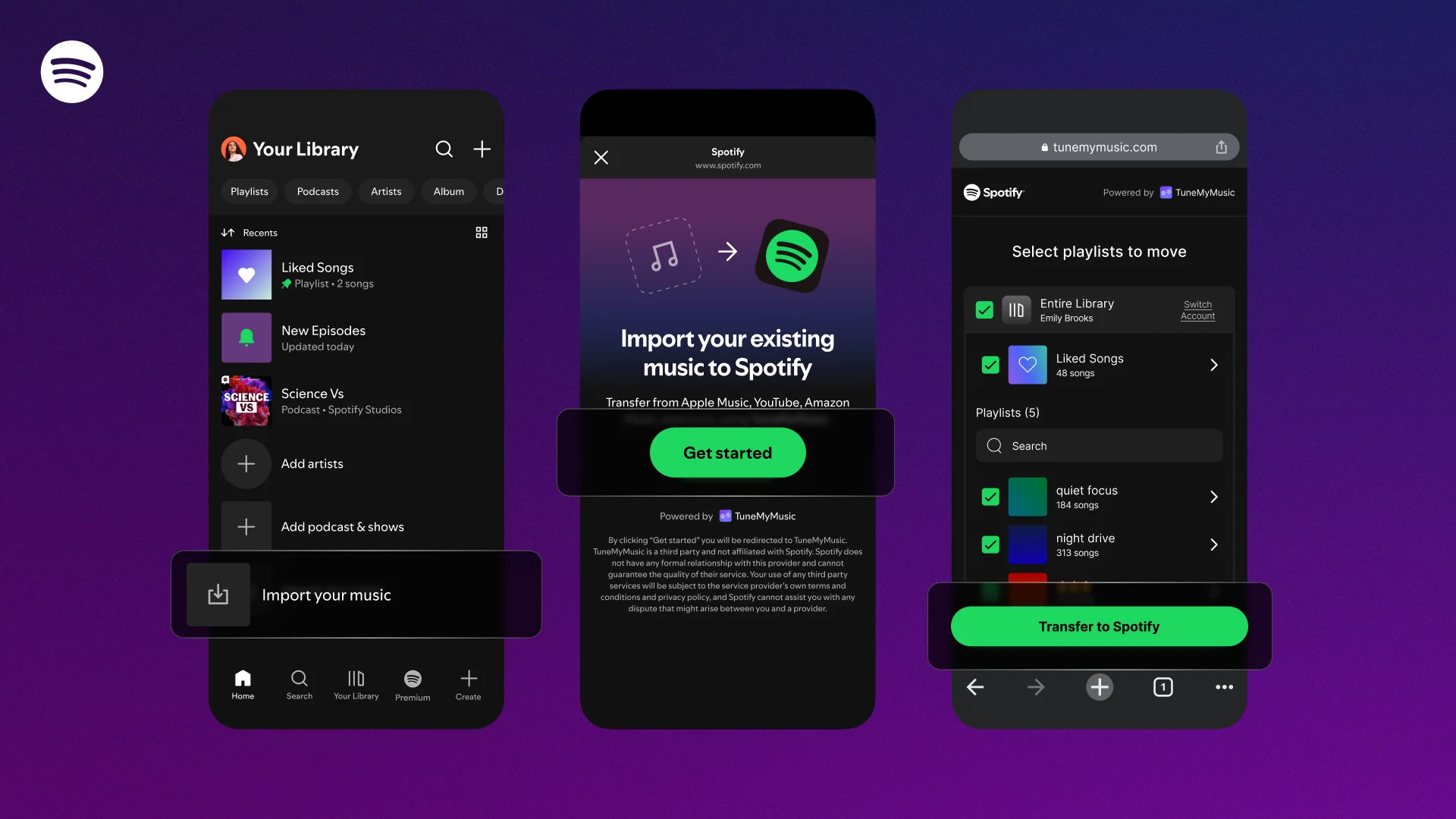
- Choose the source music service and sign in to that account.[7]
- Allow access and select the tracks or playlists to move.[7]
- Choose Transfer to Spotify.[7]
- Authenticate with the new Spotify account as the destination. The imported lists appear in that account’s Your Library.[7]
TuneMyMusic’s free allowance is up to 500 tracks. Its monthly Premium option was US$5.50 on the current plan page on October 16, 2026, separate from the Spotify account purchase.[9]
Unmatched tracks appear in the transfer’s missing-song report, which can be downloaded as a CSV file.[10]
My one-month account listing cost US$1.47 and arrived about a minute later. Existing Spotify playlists can be shared or copied, and playlists from another music app can be imported on mobile. You can bring the music you already listen to into the new account.[1] [2] [3] [4] [5] [7]
Sources
- Actual selected Spotify account listing
- Actual order paid with store credit
- Order timeline and account delivery
- Spotify playlist sharing
- Spotify playlist saving and copying
- Spotify playlist access and visibility
- Spotify mobile playlist import
- Spotify published playlist import workflow
- TuneMyMusic transfer allowance and current monthly plan
- TuneMyMusic supported services and missing-track reports
- Spotify: playlists, saved music and settings remain when changing plans
- Spotify Community response: listening history and preferences do not transfer between accounts