
Find the real item inside Blox Fruits
Open Blox Fruits published by Gamer Robot Inc, at place 2753915549. The official description names fruits including Buddha, Portal and Tiger.[2] The creator identifies Shop as the in-game route to buy fruits.[10] This gives you an actual product to compare with a category name such as Human: Buddha > Permanent, rather than searching unrelated avatar-catalog results.
Permanent and Non Permanent are meaningful variants in the public category, which separately lists Portal > Permanent and Tiger > Non Permanent.[1] Keep the fruit name and variant together. A similarly colored icon cannot turn an unspecified box into a guaranteed fruit.
Read the quantity as the unit the product actually uses
| Current category example | Unit being described | Illustrative total |
|---|---|---|
| Exp Boosts 6 Hours | Six boost hours per selected unit[1] | 24 desired hours ÷ 6 hours = 4 units |
| Exp Boosts 24 Hours | Twenty-four hours in the option[1] | One unit describes 24 hours |
| 10K Fragments | 10,000 Fragments per selected unit[1] | Two units describe 20,000 Fragments |
| 6000 Simulation Data | 6,000 Simulation Data units[1] | Not the same currency as Fragments |
| Portal > Permanent | A named fruit and Permanent product form[1] | Keep the promised product and recipient with the quantity |
The 24 ÷ 6 example is an order-content calculation: four six-hour units total 24 promised hours. It does not establish whether a particular boost is applied immediately, stored or delivered separately. Those are delivery properties, not multiplication. Likewise, a “2x Mastery” label describes the named product; the 2 is not a count of two inventory objects.[1]
Passes provide a one-time privilege, while developer products can be bought repeatedly for currency or temporary boosts.[4] [5] That distinction matters when a listing describes a quantity: repeating a pass purchase is not the same mechanism as receiving another currency bundle.
Roblox restricts off-platform secondary-market transactions involving game virtual content.[8] Platform Trade Items is currently unavailable in South Korea; this is the platform trading feature, rather than a universal description of every experience’s separate delivery controls.[9]
Compare Roblox experience item configurationsOne box is not a promise of a chosen fruit

The creator’s Series 1 DLC guide gives a concrete content example: one Physical Fruit Box contains one Physical Fruit plus 100k+ Money and 800+ Fragments. One Super Fruit Box contains one Permanent Fruit plus 250k+ Money and 2,100+ Fragments.[3] The bonus currencies do not increase the fruit count, and the listed fruit is selected from the guide’s probability pool.
For that reason, “one box that can contain Ice” differs from “one specified Ice fruit.” Keep that distinction even if a photo shows the fruit you want. The Series 1 guide is an example with its own contents; it should not be used to promise the rewards of every later box.[3]
Use the username of the account that should receive it
Roblox lets users choose display names that are not unique.[6] When selecting a recipient, open the intended profile and use its username, including every digit and underscore. A display name such as Alex may appear on several accounts; @Alex_2048 and @Alex_2049 are different illustrative usernames. The account named by the delivery control should match the one you intend to use.
- Open the official experience and its own Shop to locate the actual product.[2] [10]
- Keep the named variant and unit together, then calculate the total once.
- Identify the recipient by username, not the large display-name label.[6]
- Never provide passwords,cookies,two-step verification or backup codes to make a delivery happen.[7]
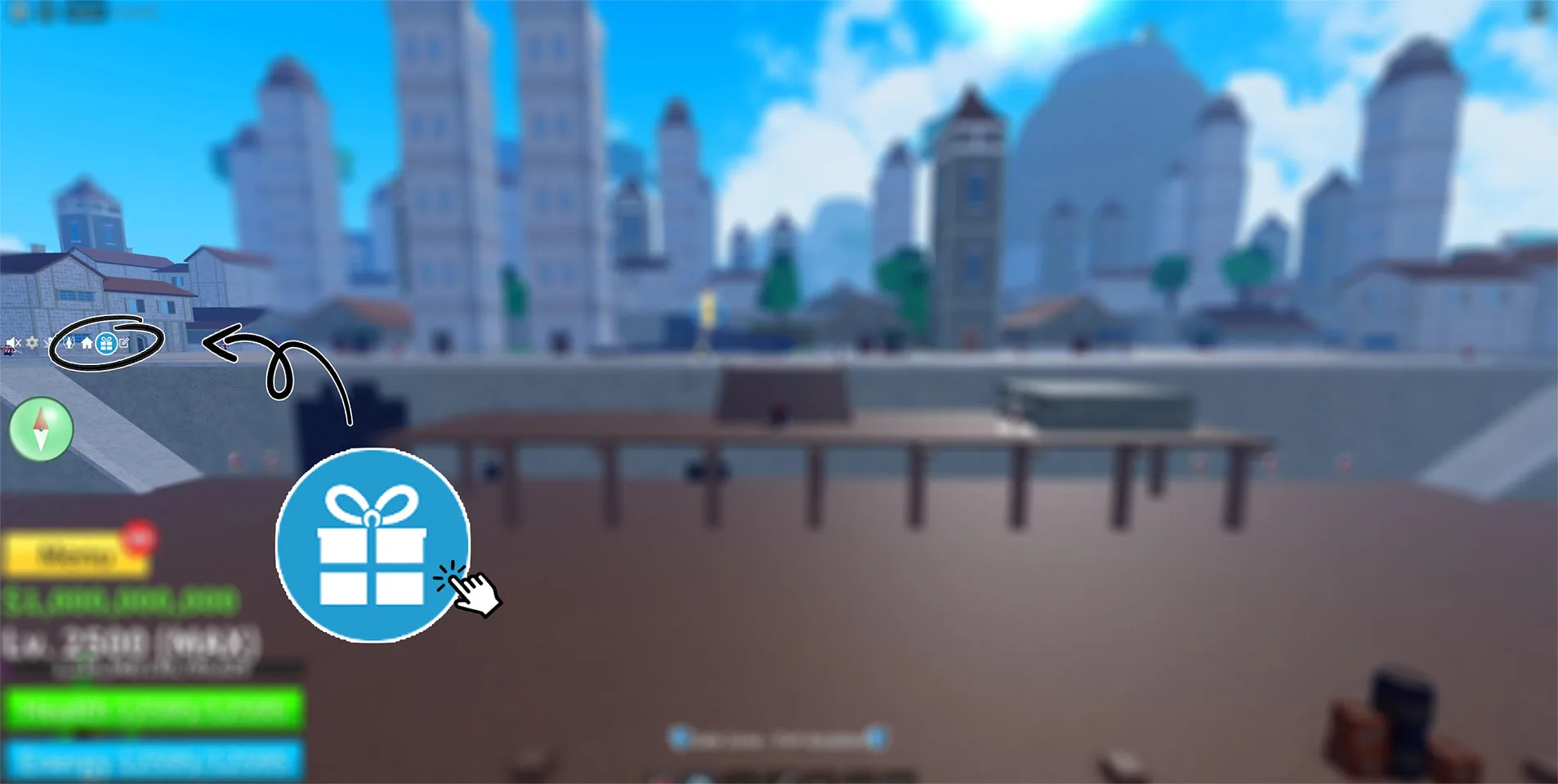
For an owned Blox Fruits merchandise code, launch the game on the receiving account, choose the left-side gift icon, enter the code in Reward Codes and press Redeem!. The creator says the reward is issued to that account.[3] This is why account selection happens before redemption, rather than after the item appears.
Compare the finished configuration
If you still need a Blox Fruits item, compare the specified fruit and variant, the agreed total in hours or currency, and the intended username. For a 24-hour goal, you can compare one 24-hour option with four six-hour units once their application and delivery conditions match. The chosen option should describe that complete result for the receiving account.
Compare Roblox experience item configurationsSources
- Blox Fruits category variants and quantities
- Official Blox Fruits names and creator
- Creator fruit box and code contents
- One-time game pass
- Repeatable developer products
- Username versus Display Name
- Account secrets
- External virtual-content transactions
- Korean Limited trading scope
- Blox Fruits Shop and official trading