
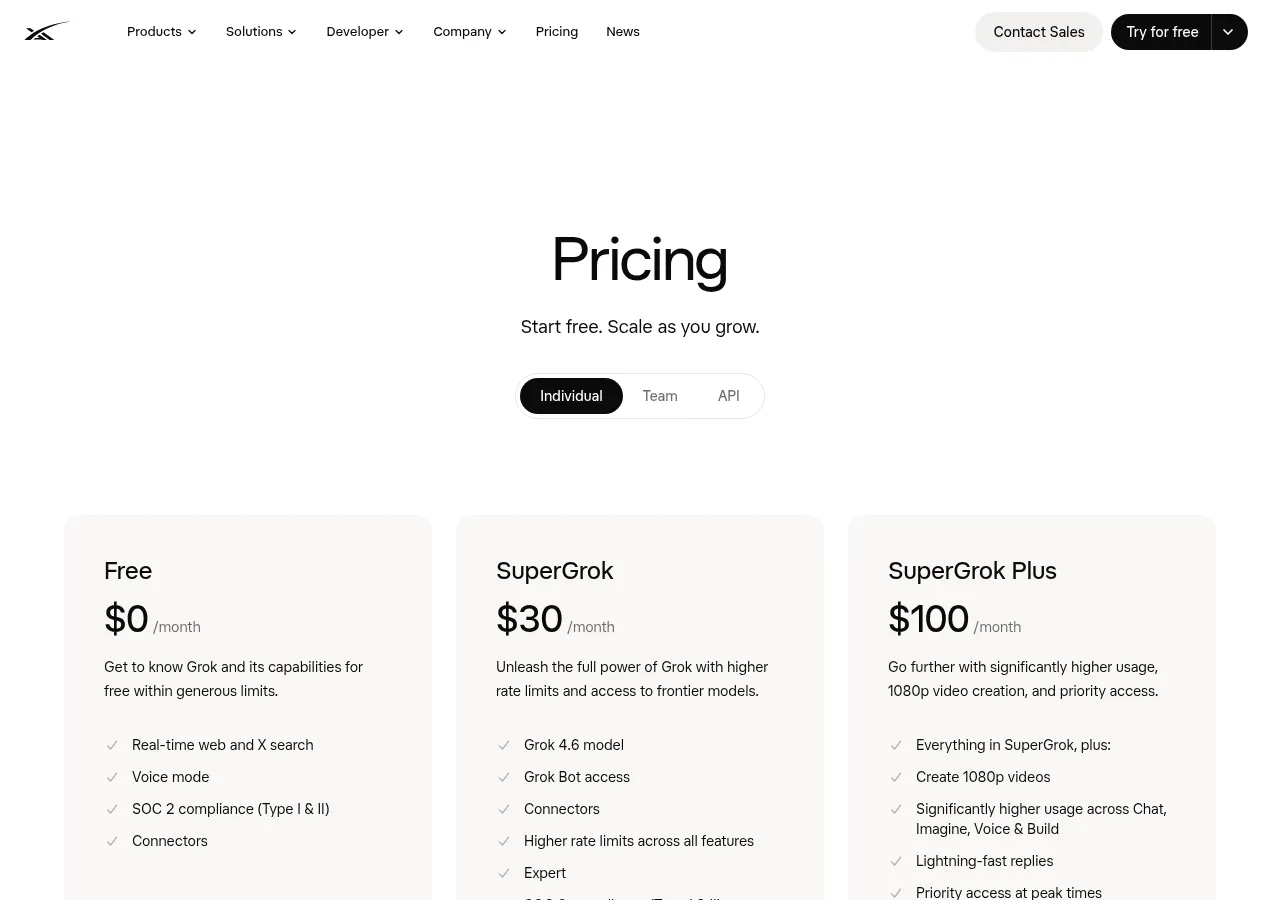
How much will you actually pay?
The web price is the clearest reference: xAI lists SuperGrok at $30 per month.[1] Applicable taxes or fees may be added, and xAI says subscription prices can change for future renewals after notice.[5] App-store pricing also depends on the storefront and checkout shown to you.
xAI Individual plan cards with SuperGrok’s monthly price. Source: xAI.[6]
| Purchase route | Public price | Public billing interval | Who manages payment and renewal | Where to cancel |
|---|---|---|---|---|
| Grok website | US$30 for SuperGrok.[1] | Monthly.[1] | Managed in Grok’s website billing area.[4] | Grok Settings > Billing.[4] |
| Apple App Store (US) | SuperGrok purchases at $30 and $300.[2] | Not labeled on the public App Store page.[2] | Apple handles the transaction.[4] | Apple subscription settings.[4] |
| Google Play | The public listing confirms in-app purchases but gives no SuperGrok amount.[3] | Not shown on the public listing.[3] | Google Play manages cancellation; xAI handles refund requests.[4] | Google Play subscription settings.[4] |
Who handles your subscription after checkout?
If you subscribe on the web, you manage the subscription while signed in to Grok’s billing page. Apple handles an iOS transaction and cancellation. For an Android purchase, you cancel through Google Play, while xAI directs Google Play refund requests to its own refund form.[4] These differences determine where you need to update a payment method, cancel, request a refund, or ask about a charge.
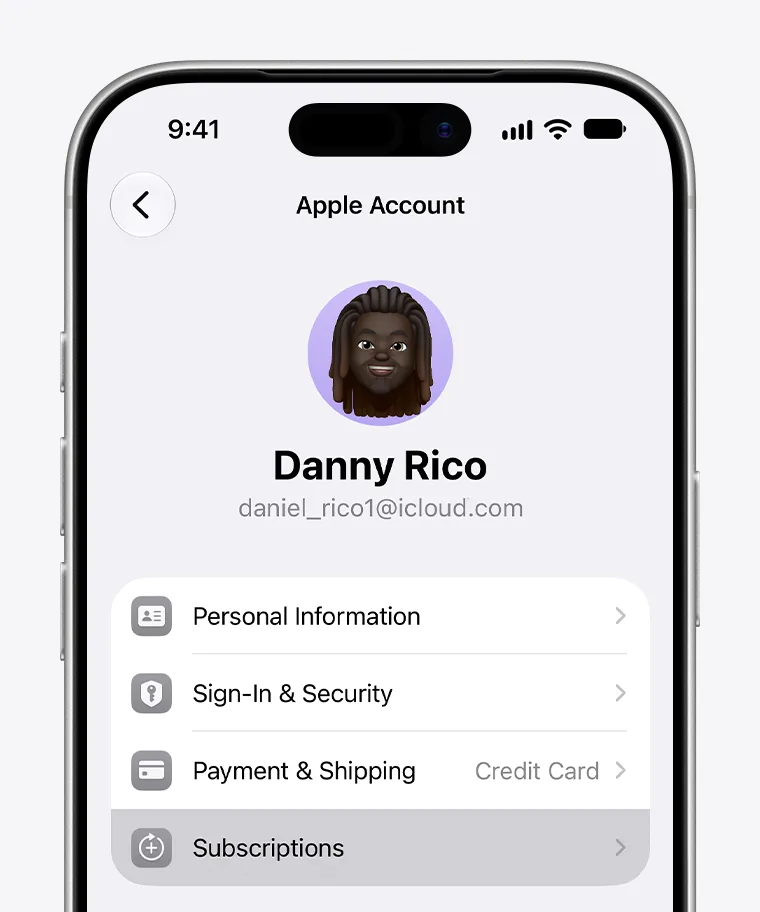
iPhone Settings subscription management screen from Apple’s official guide. Source: Apple.[7]
The advertised price may not be the amount you ultimately pay. Before approving the purchase, check the currency, applicable tax or other fees, billing interval, and next renewal amount. Paid subscriptions renew periodically until canceled, and applicable taxes or fees may be charged.[5]
Could you already have an active subscription?
Check Grok Settings > Billing, Apple subscriptions, and Google Play subscriptions before opening another checkout. Use the same login identities you normally use for Grok. Access belongs to the account used for the purchase, so a different Apple, Google, X, or email login can make a paid subscription appear to be missing even when the payment succeeded.[4]
Keep X Premium and xAI API charges out of this search. X handles X Premium refunds, while API credits are a separate billing item.[4] If a charge looks unfamiliar, match its date and provider with your subscription history before paying for SuperGrok again.
Which purchase route should you choose?
Choose the web route if you want plan changes, payment updates, and cancellation in Grok’s billing area. Choose an app-store route if you would rather manage the subscription through Apple or Google. Price alone will not answer the question unless you compare final checkout totals in the same market on the same day.
You can also compare alternative SuperGrok subscription-account options, but the method should be clearly documented and applied to an account you own. Do not use shared credentials or transferred accounts: xAI’s consumer terms prohibit sharing account credentials or making an account available to another person.[5] Confirm the delivery method before paying.
Confirm these five details before you pay
- The final total and currency
- Whether tax or other fees are included or added
- The renewal interval and next charge
- The Grok account currently signed in
- The provider that will keep the payment record and cancellation control
Once those details match the route you intended to use, complete the purchase and save the receipt. Return to that same provider whenever you need to manage renewal or cancellation.