
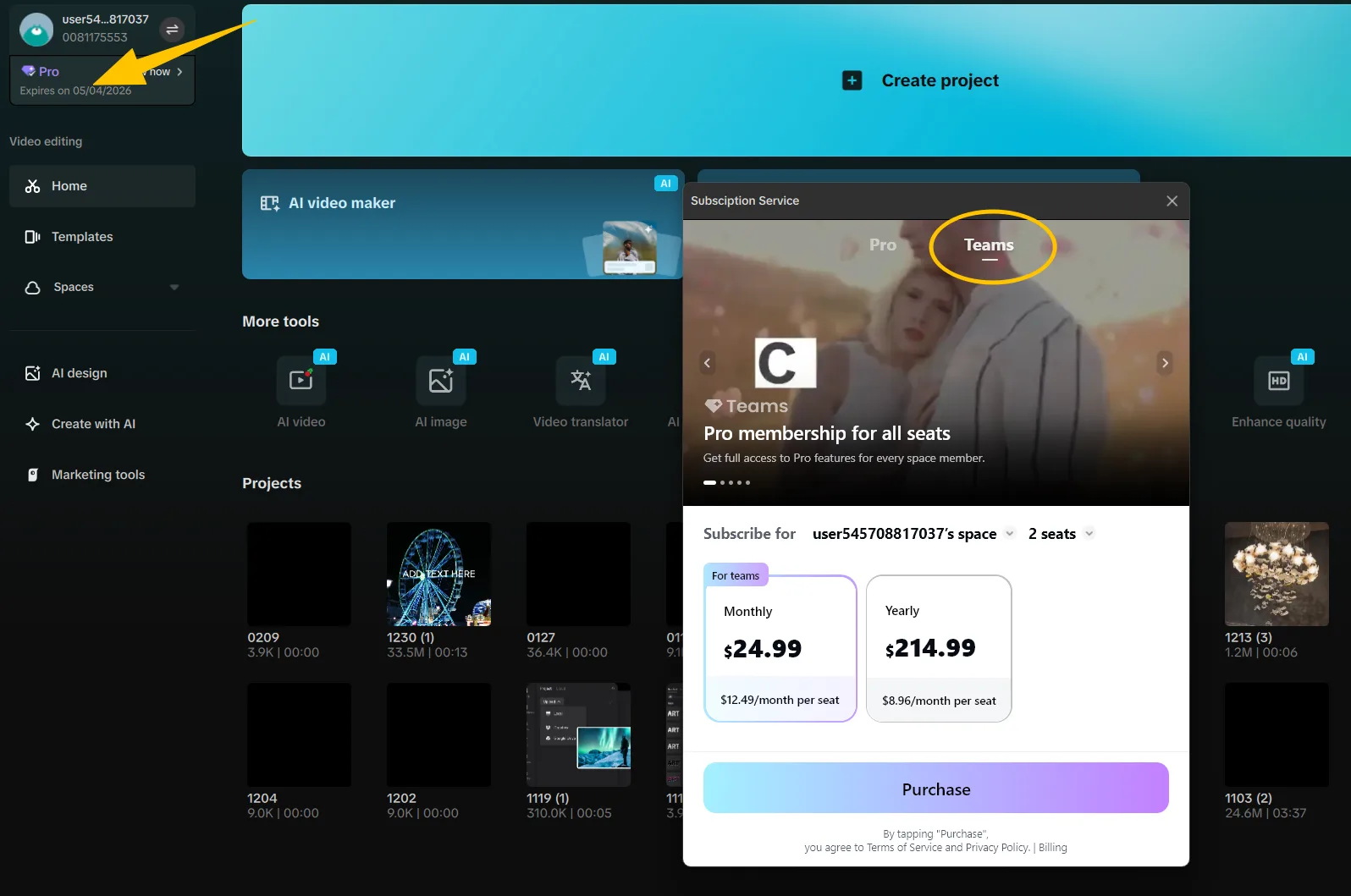
CapCut’s Teams pricing help shows the Desktop Teams tab and two-seat selector.[7]
The number of devices is not the deciding factor. Using the same CapCut account on several devices still means sharing one identity, password, recovery path, and subscription owner.
What are the three ways a household can use CapCut Pro?
The first is sharing one Pro login. Everyone enters the purchaser’s account and depends on that owner for password changes, recovery, and continued access. CapCut’s US terms say login details should be kept confidential and not disclosed to a third party.[4]
CapCut Teams works differently. The owner buys and manages the subscription, then invites members by email or link. Each person must accept the invitation and sign in with a CapCut account to receive the Teams benefits. Those separate logins provide distinct identities, but team projects and resources can still be shared within the workspace.[1]
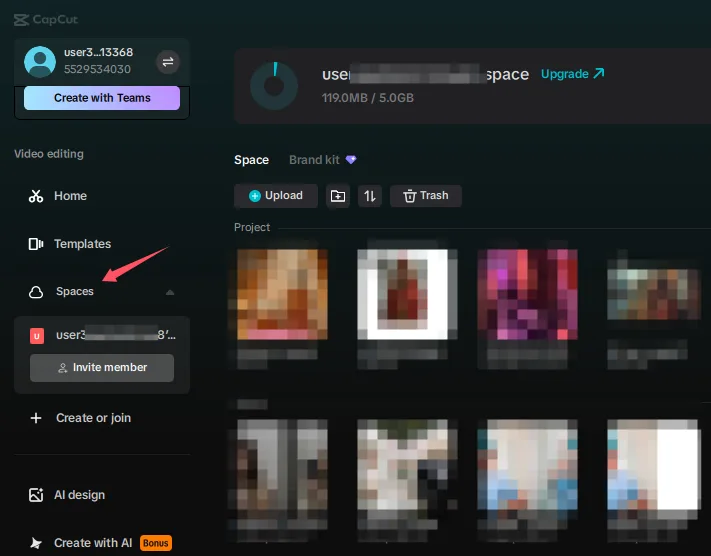
CapCut’s cloud-space help shows Spaces, the project list, and Invite member.[8]
The third option is an independent Pro subscription for each person. CapCut says Pro benefits stay linked to the original purchasing account and cannot be transferred.[3] Everyone controls their own login, recovery, and subscription, though the household must manage multiple subscriptions.
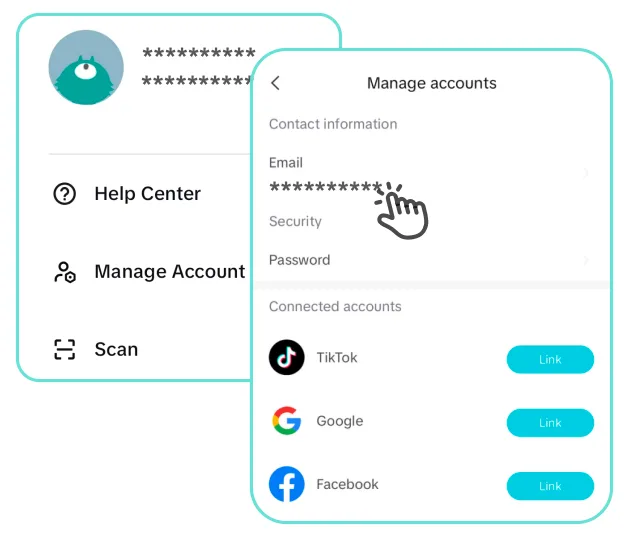
CapCut’s login help shows Manage accounts with email, password, and linked services.[9]
Which option gives each person real account control?
| Access arrangement | Separate login | Billing and recovery control | Project boundary | Best fit |
|---|---|---|---|---|
| One individual Pro account shared by relatives | No; everyone uses the same account | The purchasing account controls the subscription and recovery | No separate account boundary | One owner using Pro on their own devices—not family membership |
| CapCut Teams | Yes; accepted members sign in with their own CapCut accounts.[1] | The Team Owner purchases and administers the subscription.[2] | Personal accounts are distinct, but team projects and resources are shared in the workspace.[1] | Households that see an eligible Teams offer and want separately identified members |
| Independent Pro subscriptions | Yes; each person uses their own purchasing account.[3] | Each person controls their own subscription and recovery | Each account remains separate unless the users deliberately share content | The clearest fallback when Teams is unavailable or shared workspace access is unwanted |
The choice comes down to centralized billing or independent ownership. Teams gives invited members separate identities under one owner, but it also brings a collaborative workspace. Separate Pro subscriptions are simpler when family members neither need nor want shared projects and assets.
What should you check before paying?
Check the plans available while signed in rather than relying on a plan name seen in another country, on another device, or under another account. CapCut says Pro pricing and offers can vary by region and device, and points users to the signed-in upgrade screen for current options.[5] Its official help pages also give inconsistent instructions about whether Teams purchases happen online or on desktop, so use the offer available to your signed-in account.[2] [6]
- Confirm the exact plan name and look for explicit language about members, invitations, or seats. Multi-device access alone does not provide separate member accounts.
- Make sure every intended member can accept an invitation with their own CapCut account.
- Identify who controls billing, renewal, and recovery. Do not assume an individual Pro subscription can be transferred to another member later.
- Check whether projects will remain in personal account space or be added to a shared team workspace.
- Before paying, record the billing period, renewal terms, currency, taxes, seat count, and regional eligibility shown at checkout.
Which setup is right for your household?
Choose CapCut Teams when it is offered for your account and region, includes enough members, and its shared workspace suits your household. The documented invitation process gives each member a separate CapCut login while the Team Owner retains control of the subscription.[1] [2]
Choose independent Pro subscriptions when Teams is unavailable, its eligibility does not fit, or each editor needs separate billing, recovery, and project control. Keep one personal Pro subscription only when a single account owner is using it across their own devices.
If every editor needs separately controlled Pro access, compare CapCut Pro subscription account options after confirming that each intended user will control their login and recovery and that the arrangement follows CapCut’s account-bound subscription rules.
Sources
- After Purchase, Do All Team Members Enjoy Teams' Benefits?
- Should the Teams be purchased for a CapCut account or a specific team?
- Can I Transfer My CapCut Standard/Pro to Another Account?
- CapCut Terms of Service
- How Much Does CapCut Pro Cost?
- What Is the Price of CapCut Teams?
- What Is the Price of CapCut Teams?
- Why Can't I Access My Cloud Space on CapCut PC?
- How to Check My CapCut Login Method and Password?