
Start with the symptom on your screen
| What you see | First action | What the result tells you |
|---|---|---|
| Paid on web; Free in the app | Match the web and app Grok sign-in methods to the original purchase.[1] | If the same account still differs across devices, include both plan screens in a support request. |
| Apple subscription exists; Grok shows Free | Match the purchasing Apple Account and original Grok login. Use an in-app restore option only if available.[2] | If access returns, no replacement subscription is needed. If restoration fails or is unavailable, contact the developer.[2] |
| Cannot find the Google Play subscription | Select the Google Account that received the receipt; the app email can differ.[3] | Find the subscription owner, then match the original Grok login. Missing purchased content goes to developer support.[4] |
| Active subscription; repeated upgrade prompts | Confirm store status; update, restart and sign back into the original account.[1] | Check whether the prompt and paid access now agree. If not, attach the prompt and app version. |
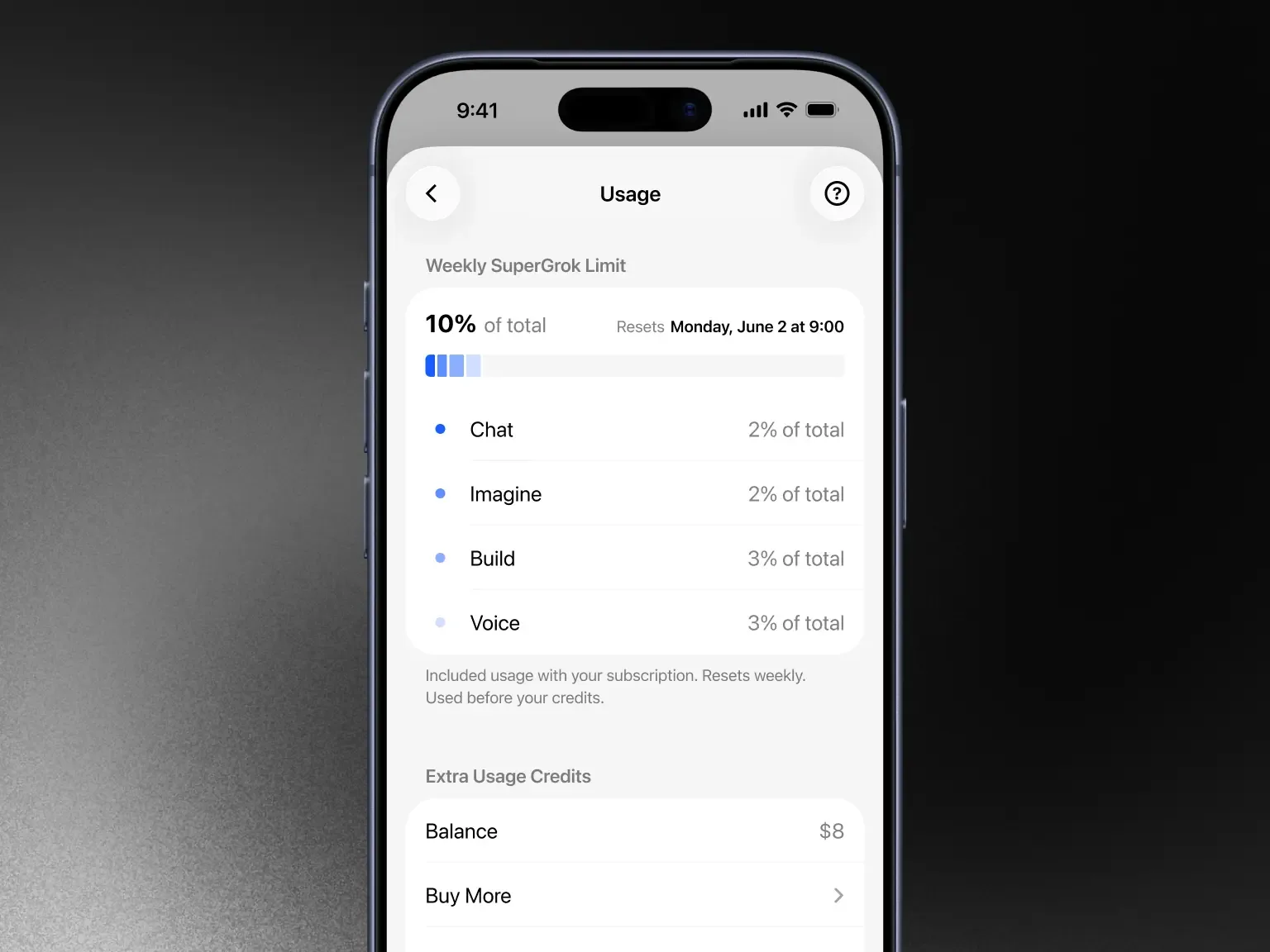
| Paid plan visible; features stopped | Open Settings > Usage and read the allowance and reset time.[1] | Exhausted weekly usage is a usage issue, not proof that the purchase disappeared.[1] |
| X Premium+ paid; linked benefit missing | Compare the paying X profile with the X profile connected to Grok.[1] | Review Settings > Account if they differ. If they match but access is missing, report both records.[1] |
Keep the payment account separate from the Grok login
Write down three things: where the payment was made, which account owns the receipt, and how you originally signed in to Grok. An Apple Account or Google Play account identifies the payment record; your Grok sign-in identifies the account receiving access. Google explicitly notes that the email inside an app can differ from the paying Google Account.[3] If you use X, also note the paying X profile and the profile connected to Grok.
For an Apple Hide My Email purchase, use the original Sign in with Apple method. Typing the private-relay address into Google or email sign-in will not identify that subscription.[1] Avoid creating more accounts while you are trying to locate the original purchase.
If Apple billed you
- Find the subscription under the purchasing Apple Account and return to the original Grok login.[2] [1]
- If Grok currently offers an in-app restore option, use it. Apple recommends restoring inside the purchasing app while signed in to the same Apple Account.[2]
- If the option is absent or restoration fails, restart the device and contact xAI with the receipt. Apple directs unresolved charged purchases to the app developer.[2]
Keep the original Apple purchase account signed in while checking the app’s restoration option. If the purchase remains missing, send the existing receipt and your Grok sign-in details to support before paying again.[1] [2]
If Google Play billed you
- Find the Google Account that received the receipt, then inspect its subscription record in Play.[3]
- Open Grok using the original purchase login. Switching the Play payment account and changing the Grok login are separate actions.[3] [1]
- Update and reopen the app. For activation mismatches, xAI recommends restarting, signing out and back in, and clearing the cache.[1]
- If Play shows active payment but the matched Grok account lacks access, send the order number and both status screens to developer support.[4]
If you paid on the web or through X
For a web purchase, open Settings > Billing in the purchasing Grok account. If subscription management is blocked, try another browser or an incognito window as xAI recommends.[1] Sign into the original account in that window too.
X Premium+ includes SuperGrok access.[8] Keep that X subscription separate from a standalone SuperGrok receipt. Check the paying X profile against the profile connected in Grok Settings > Account; xAI says linking lets it retrieve X subscription status and apply the relevant benefits.[1]
A used-up allowance is a different problem
If the paid plan is visible, inspect Settings > Usage before treating a restriction as missing payment. It shows consumption and the reset time. When weekly usage is exhausted, paid features pause until reset while some free usage can remain.[1] Report a usage mismatch rather than replacing the subscription or switching accounts.
Send a support request that can be acted on
Use Report an issue in Grok or reply to the receipt email. xAI requests the account email, platform, browser or OS, billing receipt number and a relevant screenshot.[1] Fill in this message and send it privately:
Subject: Completed purchase missing from the same Grok account Payment channel: [Apple / Google Play / grok.com / X] Product and purchase date: [receipt product name, date] Order or invoice number: [number] Transaction status: [completed / pending / reversed] Grok account email and original sign-in method: [email, Apple / Google / X / email] Environment: [Web / iOS / Android, OS, app version or browser] Current symptom: [exact text shown] Steps tried and results: [sign-in, restart, etc.] Attachments: [redacted receipt, subscription status, Free screen on the matched account] Please identify which account holds this purchase and the next step needed to restore access.
Send the account email and order number only through private support. Leave out passwords, verification codes, recovery codes and full card numbers. For two charges, add both receipts with their providers, dates and amounts, and ask whether they represent the same subscription.
Only compare another purchase when there is a separate need
An unsuccessful payment can lead to a downgrade or suspended access.[5] Resolve pending payment or unknown purchase ownership before placing another order. Restored access by itself creates no need to buy the same subscription again.
If the billing issue is resolved and you separately need paid access, compare the intended product. G2G has distinct Grok top-up and account categories.[6] [7] Do not assume a marketplace top-up is your subscription or xAI Extra Usage Credits: check the product, duration, region and delivery method, including whether it applies to an account you own. xAI terms prohibit sharing credentials or making an account available to another person.[5]
Compare buyer-owned-account options after resolution